
Your Mac, clean and honest.
Reclaim disk space, uninstall apps cleanly, manage developer caches, and tweak macOS settings — all without leaving the sandbox. Nothing is deleted without your review.
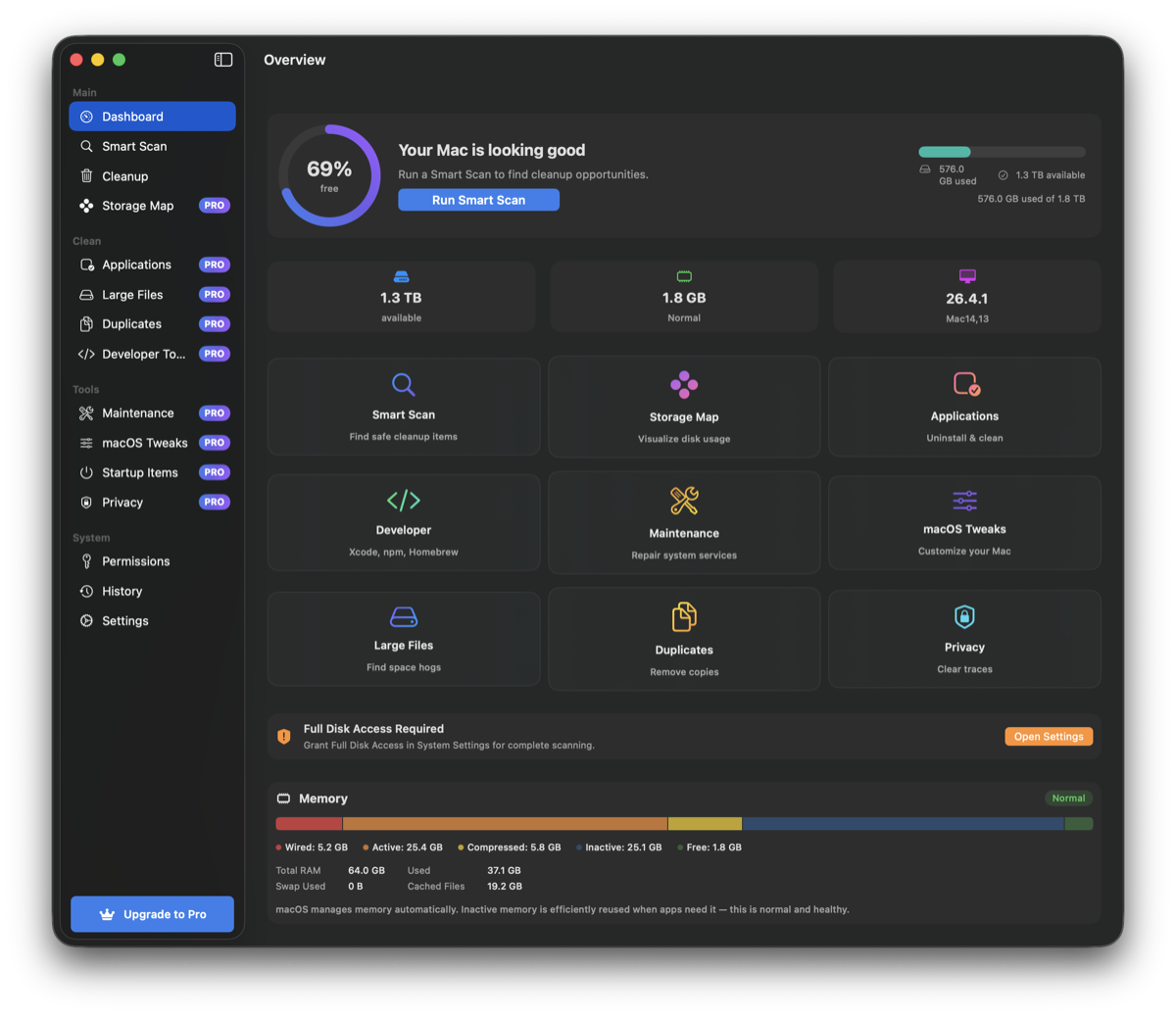
Everything you need to keep your Mac clean
Powerful tools, honest approach. No hidden actions, no surprises.
Smart Scan & Cleanup
Scans 11 categories — caches, logs, downloads, browser data, Xcode, and more. Everything grouped by risk level. You review before anything is removed.
App Uninstaller
Find and remove apps along with their leftover files. Confidence scoring tells you exactly what's safe to delete.
Developer Tools
Clean up Xcode DerivedData, simulators, archives, and 38+ package manager caches — npm, pip, Cargo, Gradle, and more.
Large File Scanner
Find files eating your disk space. Organized by type — videos, archives, disk images, VMs. Threshold from 100 MB.
Duplicate Finder
Progressive SHA-256 hashing finds duplicates fast. Smart suggestions: keep newest, oldest, or shortest path.
Storage Map
Interactive radial and tree visualizations of your disk usage. See what's consuming space and clean it up directly.
macOS Tweaks
21 toggleable preferences: show hidden files, speed up the Dock, change screenshot format, and more. One-click revert.
Maintenance Tasks
9 guided tasks: rebuild Spotlight, flush DNS, clear Quick Look cache, enable Touch ID for sudo. Safe and sandboxed.
Browser Cleanup
Clean caches from Safari, Chrome, Firefox, Brave, Edge, and Arc. Per-browser size detection and selective cleanup.
Startup Items
Inspect and manage Login Items and LaunchAgents. See what launches at startup, from Apple or third party.
Audit Trail
Complete log of every cleanup session — what was scanned, moved to trash, or deleted. Full transparency.
Privacy First
Fully sandboxed. No telemetry. No data leaves your Mac. Trash by default — permanent delete needs explicit confirmation.
How it works
Grant Access
Choose which folders CleanMyMacOS can scan via the standard macOS file picker. Access is stored as secure bookmarks.
Scan & Review
Smart Scan finds reclaimable space across 11 categories. Everything is shown with risk levels and sizes before you decide.
Clean Up
Selected items are moved to Trash by default. You can undo at any time. A full audit trail is saved for your records.
Built for developers
38+ package manager caches supported across every major ecosystem.
JavaScript
npm, Yarn, pnpm, Bun
Python
pip, uv, Poetry, Ruff, pyenv
Rust
Cargo, Rustup
Go
Go build, Go modules
Java/Kotlin
Gradle, Maven
iOS
CocoaPods, Carthage, Xcode
PHP
Composer
Ruby
gem
Cloud
Docker, kubectl, AWS CLI, gcloud
Frontend
TypeScript, Electron, Turbo, ESLint, Prettier
ML
Hugging Face, PyTorch
Plus: project folder scanning finds node_modules, venv, .next, build, Pods, DerivedData and 15+ more cleanable directories across your projects.
Safe by design
A multi-layered safety engine ensures nothing important is ever touched.
Permanently blocked
- Keychains & passwords
- Mail, Messages, Calendar
- Photos & Music libraries
- iCloud & cloud storage
- SSH keys & shell configs
- App sandbox containers
Protected by default
- Files modified in the last 24 hours
- Low-confidence detections need manual review
- Symlink attack prevention
- 50K file limit per scan category
- Moves to Trash — never permanent by default
- Full audit trail of every action
Ready to clean up your Mac — the honest way?
No scare tactics. No fake urgency. Just real tools that respect your data.